Burning Bridges photo to video
You have a photo. What you need is the fifteen-second party clip with that face in it — and the photo you send decides most of how it turns out.
Short answer
Send one front-facing photo with both eyes visible, even light and the whole outfit in frame. JPEG, PNG or WebP, up to 15MB, one person or one pet. The generator reads your face, clothes and build from that single image and rebuilds the chandelier party around them — so a plain photo against a wall works better than an artful one at an angle.
Photo to video, not video to video
There are two things people mean by “put me in the Burning Bridges video”, and they're not the same job. One takes an existing clip and replaces the person inside it — that needs the original footage and several photos. The other takes a still and builds a whole new scene around it, which is what one photo is enough for.
This page is about the second kind. Nothing of the original video is reused: the room, the crowd and the choreography are generated, and your photo supplies the person. That's why the output is a lookalike party rather than a frame-accurate copy — and why it's fifteen seconds of vertical video instead of a cropped piece of someone else's footage.
The photo that gives the model a chance
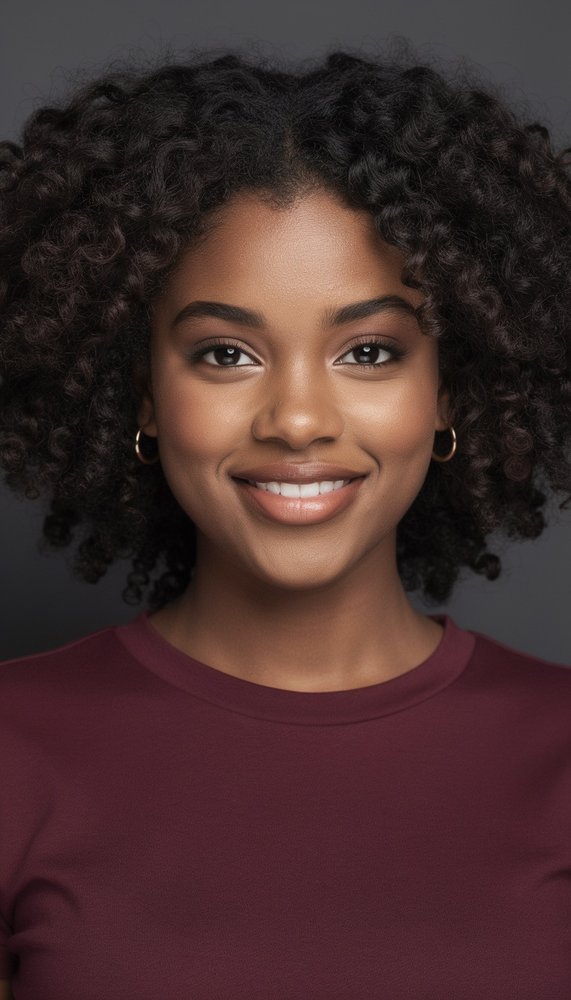
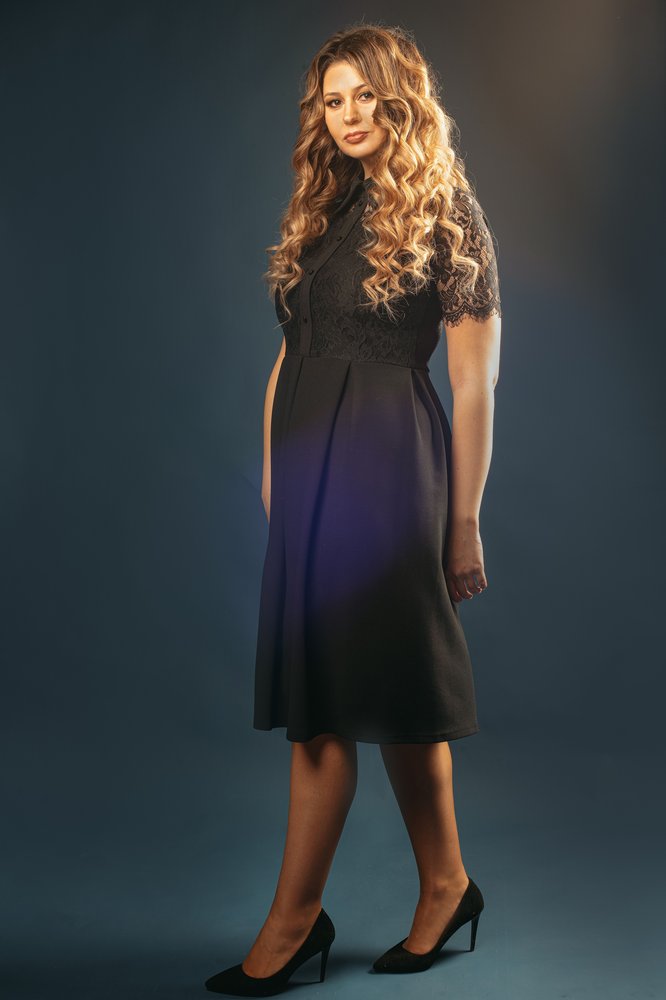
What carries over, and what doesn't
Clothes and jewellery come across by design. The scene swaps the person into a party, not into a costume — a plain tee stays a plain tee, a chain stays a chain, and the outfit you chose doesn't get replaced by evening wear. Small details are where it gets fuzzy: a fine chain can blink out for a few frames, a busy print can soften as the body turns.
Build and hair follow the same rule. The model works from the silhouette it can see, so a full-length photo produces a body closer to yours than a shoulders-up crop does. If the photo shows a beard, a fringe or a ponytail, expect them in the clip; if it hides them under a cap or a hood, expect the model to make a decision you didn't choose.
What doesn't carry over: the background, the lighting of your original photo, and any text in the frame. Everything behind you is replaced by the party, which is why the cleanest photos — wall, street, studio — produce the least confusing results.
Five photos that quietly ruin a run
Sunglasses or a hand over the face
The model builds the face from what it can see. Cover the eyes and it invents them, which is where most 'that's not me' results come from.
A crop that cuts the chin or shoulders
Chest-up crops hide the build, and the generated body ends up approximating. The outfit is read from the photo, so what's out of frame stays out of the clip.
Group shots
One subject per video. Some tools accept several photos for a full character swap; this one doesn't, so crop to the person you actually want on the floor.
Backlight and half-shadow
A face lit from behind turns into a silhouette the model has to guess at. Evening photos with a bright window behind are the usual culprits.
Heavy beauty filters
Smoothing removes the small asymmetries that make a face recognisable. The clip comes back looking like a cousin, not you.
None of these stop the job — the render still runs, the credit is still spent, and you get a clip. It just isn't the clip you wanted. If a run comes back off, the photo is almost always the reason, not the tool.
Pets count as photos too
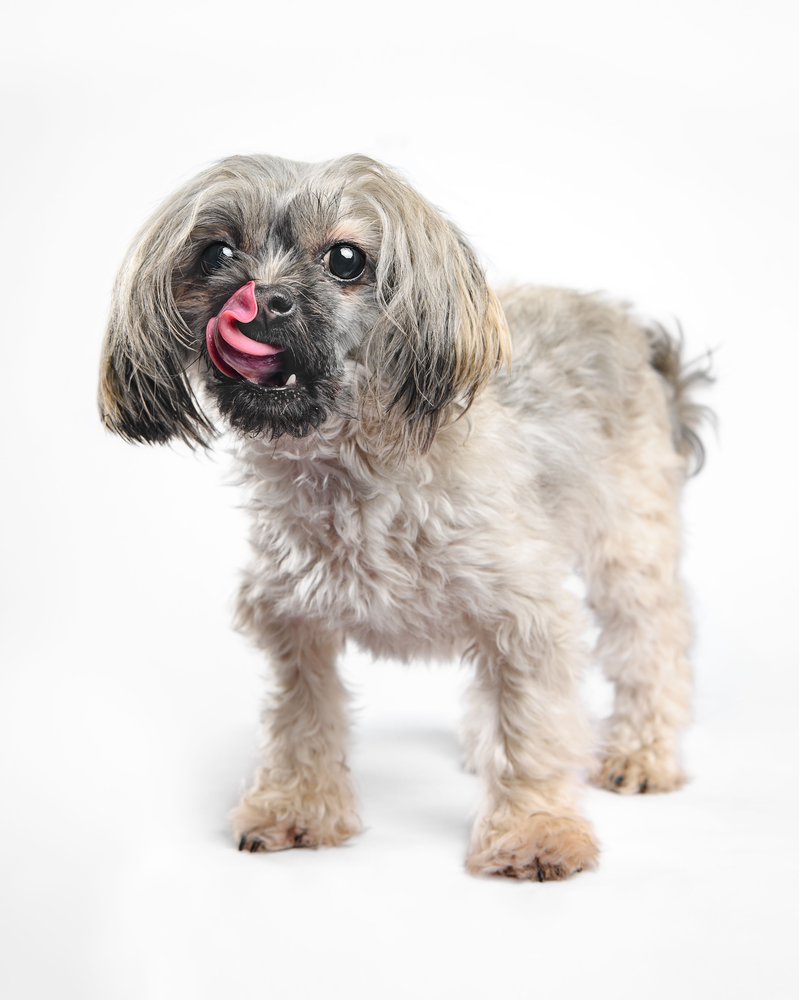
A dog or cat works exactly the same way: one photo, shot at the animal's eye level, with the whole body in frame. Keep the face unobstructed — a snout behind a paw reads as a blur — and skip the action shot. A bored pet sitting still photographs better than a blurry one mid-zoom.
What comes back is the animal's own face and markings on a body doing the routine on two legs. Collars, bows and little chains usually survive; anything dangling loosely can flicker as the arms move.
What happens to the photo afterwards
The photo is sent to our AI processing partner to run that one generation, and that's the whole job it has. We don't keep a separate copy of the upload, we don't train models on it, and it isn't published or shown to other users. The finished clip lives in your account until you delete it.
The trade-off worth knowing: generation runs on a third-party model, so the photo does leave our server for the length of the render. The privacy policy names the partner and the retention window, and you can ask us to delete your videos or your account at any time.
Frequently asked questions
One person, facing the camera, both eyes visible, even light, and the whole outfit in frame. A phone photo against a plain wall beats a professional portrait shot at an angle — the model copies clothes and build from what it can see and invents the rest.
Crop it down to the one person you want first. The tool takes one subject per video, so a group shot either confuses the casting or quietly picks someone you didn't mean.
Yes — the scene is built to keep the outfit, the jewellery and the general build from your photo, and to swap the surroundings rather than the wardrobe. Fine patterns, small logos and delicate chains can get reinterpreted as the person moves; that is the model, not a wardrobe change.
Four things, in order of how often they show up: sunglasses (the eyes are where the likeness lives), a crop that cuts the chin or the shoulders, harsh backlight, and heavy beauty filters that smooth the face into someone else. Motion blur is a close fifth — a sharp photo from two years ago beats a blurry one from this morning.
Yes — dogs and cats run the whole routine on two legs, keeping their own face and markings. Shoot at the animal's eye level and include the full body: the more of the pet in the frame, the more of the pet in the clip.
It goes to the AI processing partner to run that one generation. We don't keep a separate copy of it, we don't train models on it, and you can ask us to delete your videos or your whole account at any time — the privacy policy spells out the retention rules.
Read the privacy policy →Have the photo? That's the hard part done.
Upload it, pick a pack, and the party gets built around it in a few minutes.